How can we increase Dex’s user engagement and acquisition in the college segment?
Timeline
Product Familiarity
Understand Dex & its nuances
User Research
Discover how students use AI
Pain Point Definition
Define the biggest problems users face
Feature Ideation
LoFis + PRD
UI Designs + Iterations
Design product feature concepts
RESEARCH AREAS:
Workflow friction mapping
Observe student workflows to identify high-friction manual tasks that could be automated or augmented by Dex
Prompt discovery
Identify which use cases students find most valuable and understand how they naturally describe what they want Dex to do
Activation pathways
Identify what first actions or experiences lead students to "get" Dex's value. What does the activation moment look like?
Standout Data
Staying Focused
is 5x more exhausting for users than “keeping track of information across many tabs”
80% of users
are still stuck in a "copy-paste" loop between their work and AI tools.
Contextual Understanding
is the single biggest missing piece, with nearly 90% of users feeling the gap regularly
Dashboard & Onboarding
Personalized Onboarding
A simplified, more personal onboarding experience to introduce key features.
Product Tutorial
A walk through Dex’s interface to build more user familiarity with primary functions.
Dashboard Refresh
A more visual representation of prompt and automation examples.
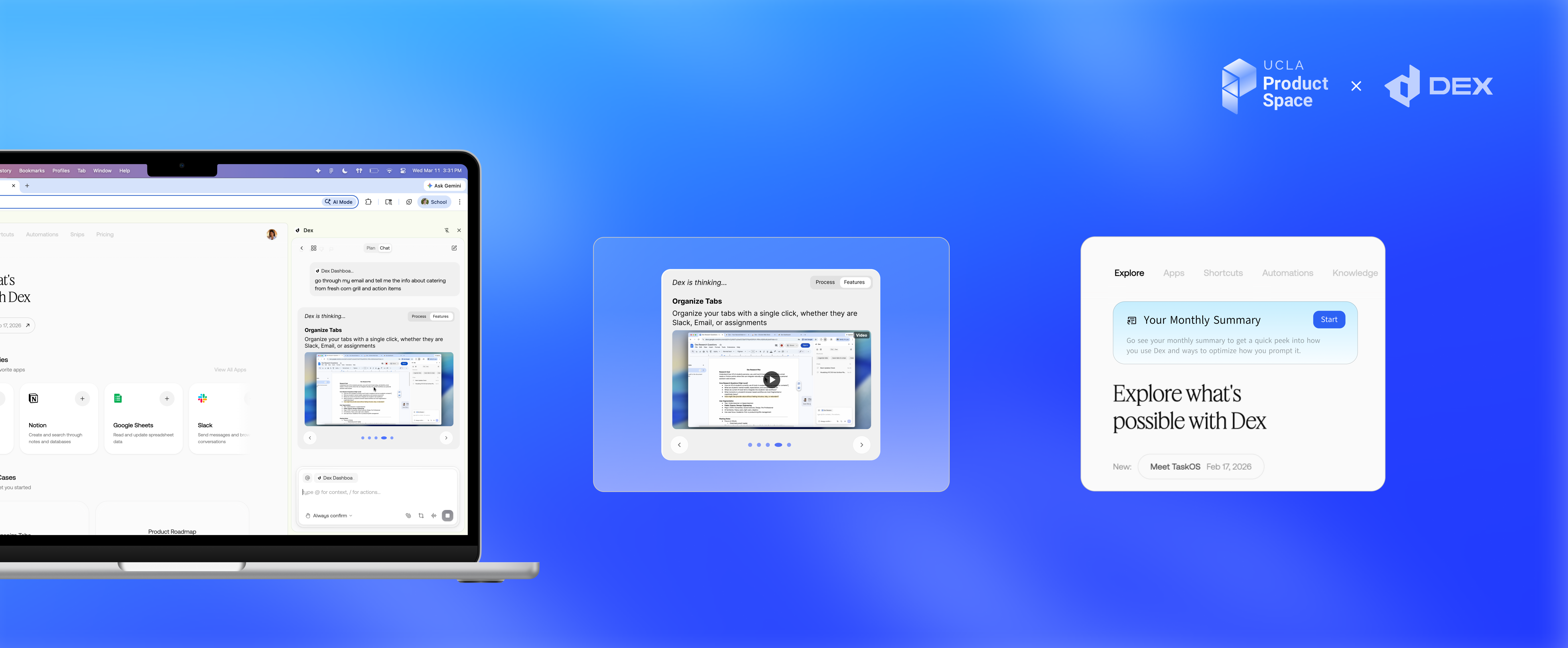
Dex Thinking
Feature Previews
Users see short animated previews of Dex capabilities while their prompt is processing.
Detailed Processing Descriptions
Users can switch between Dex’s reasoning in real time and prompt suggestions.
Back to Feature Preview
Allows users to go back to a feature they might have interest in
Want to learn more?
This project is under NDA. Contact me to discuss the full designs and prototype walkthroughs!
CONTACT ME